

Disclaimer
CYBER.CO.KE is a Cyber Services Business and is not affiliated with any government agency, including Kenya Revenue Authority (KRA). This is a Cyber Services Business and Customers Pay for Services requested.
In this step-by-step tutorial, you are going to learn and get to know How To Change iTax Password.
Get KRA PIN Certificate via Email Address and WhatsApp
Submit Service Request
Get KRA PIN Number via SMS
Follow These Steps
How To Change or Reset iTax Password
The following are the 7 main steps involved in the process of How To Change or Reset iTax Password that you need to follow.
-
Step 1: Visit iTax (KRA Portal)
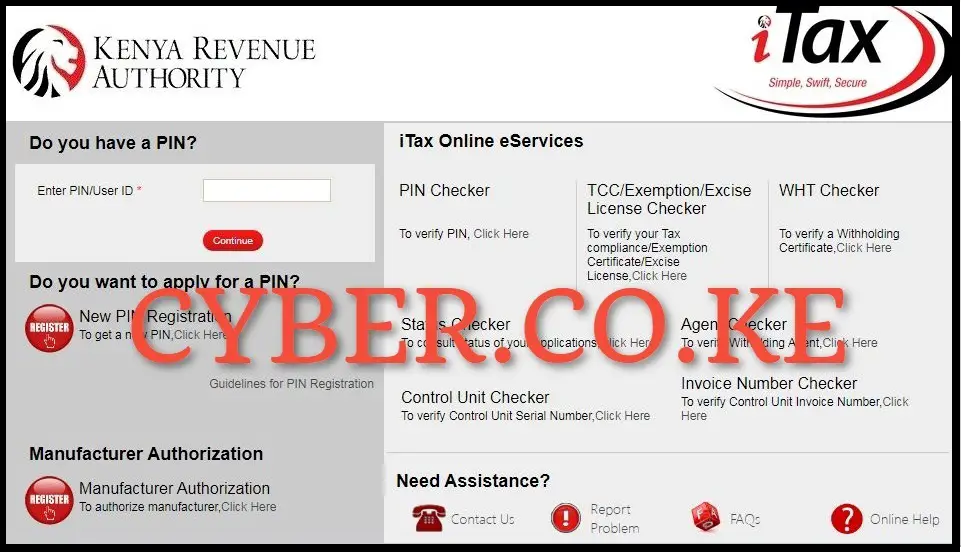
The process of changing iTax Password online requires that you first visit iTax Portal using https://itax.kra.go.ke/KRA-Portal/
-
Step 2: Enter KRA PIN Number and Click on Forgot iTax Password
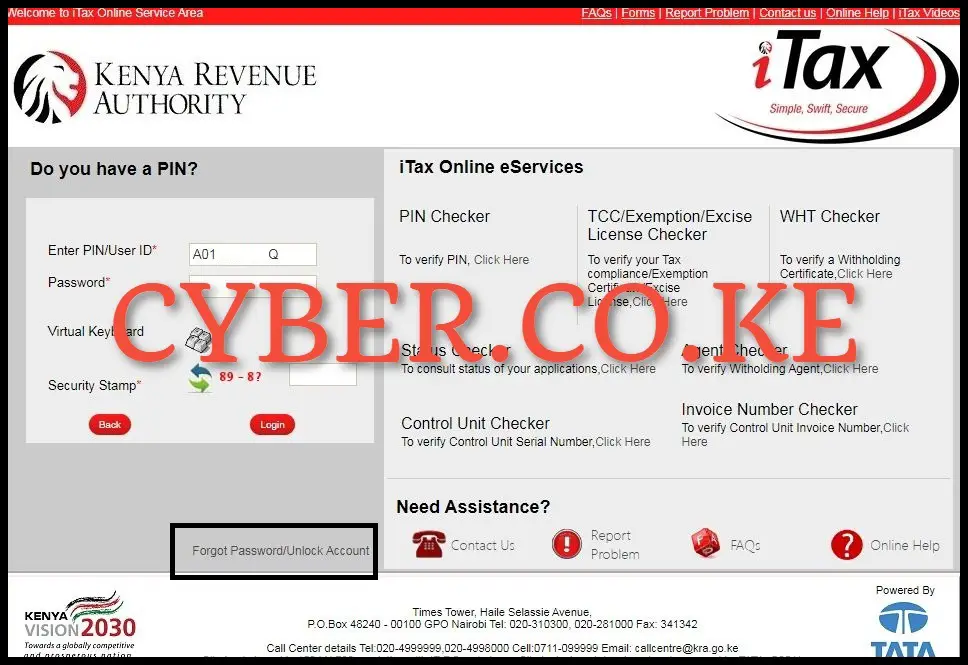
Next, once on the iTax Portal homepage, enter your KRA PIN Number and click on “Forgot iTax Password” link that is located under the login button.
-
Step 3: Fill the Forgot iTax Password Form
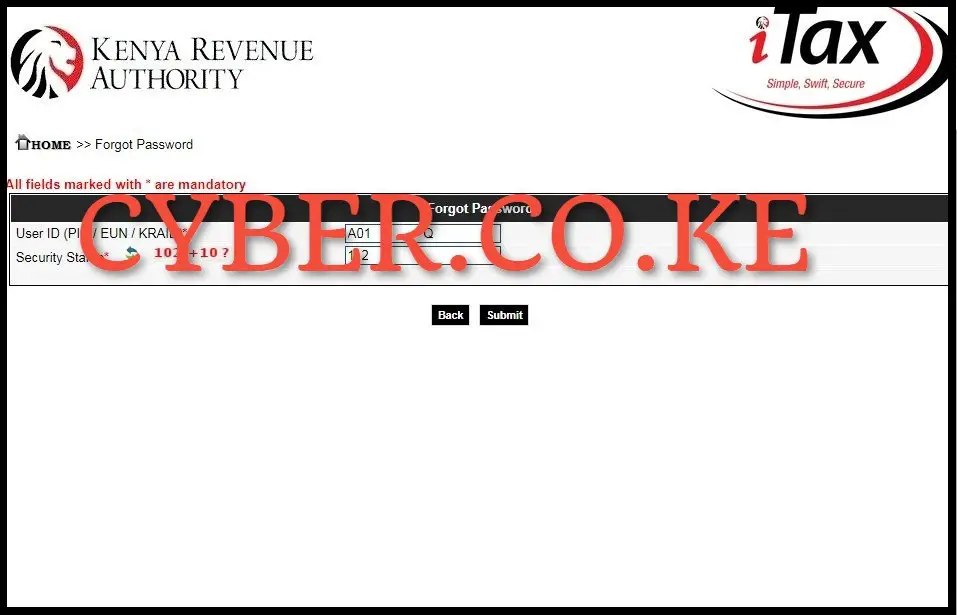
In this step, fill in the forgot iTax Password online request form. You do this by solving the arithmetic question (security stamp) and clicking on the “Submit” button.
-
Step 4: iTax Password Reset for iTax Portal Account
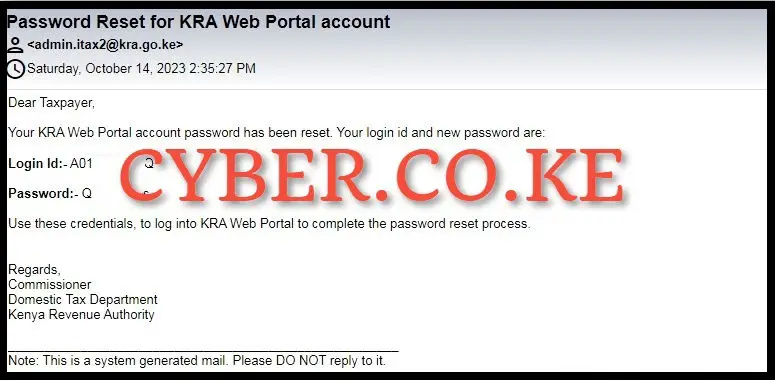
In this step, you need to check the Email Address linked to your KRA PIN Number, where you will receive the iTax Password Reset email which contains your KRA PIN Number and the iTax Password Reset that has been sent by the system and this will serve as the old/temporary password that you will use to change the iTax Password on KRA Portal (iTax Portal).
-
Step 5: Visit iTax (KRA Portal)
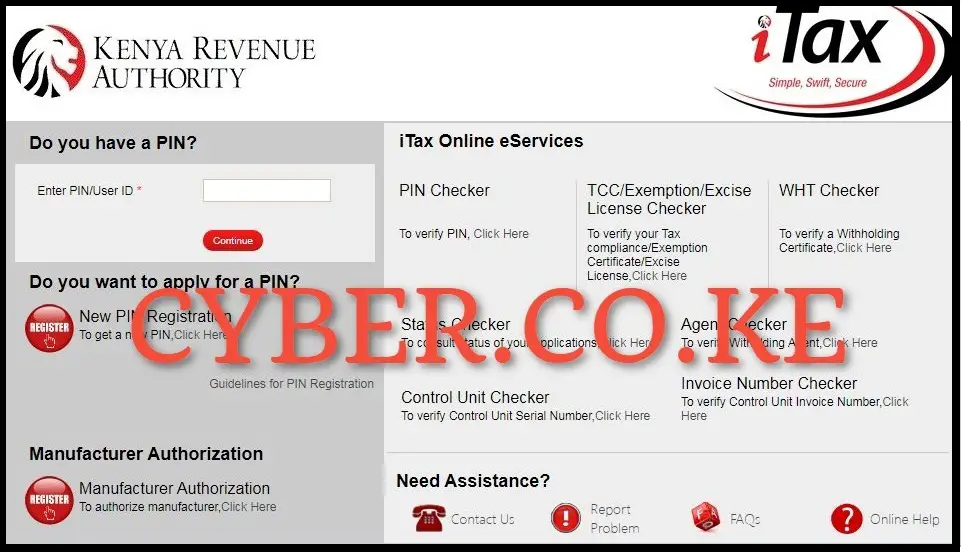
Once you have received the iTax Password reset email, you have to visit the iTax Portal once again for purposes of logging in by using the link https://itax.kra.go.ke/KRA-Portal/
-
Step 6: Enter KRA PIN Number and iTax Password Reset
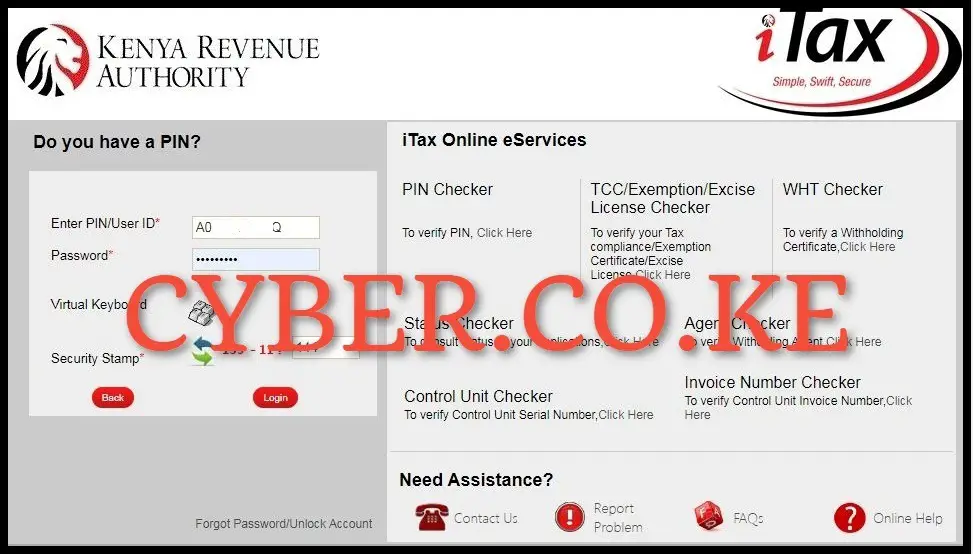
In this step, once you are on the iTax Portal login page, enter your KRA PIN Number and the iTax Password reset (old password/temporary password that was sent to your email address by KRA), solve the arithmetic question (security stamp) and click on the “Login” button.
-
Step 7: Setup a new iTax Password online
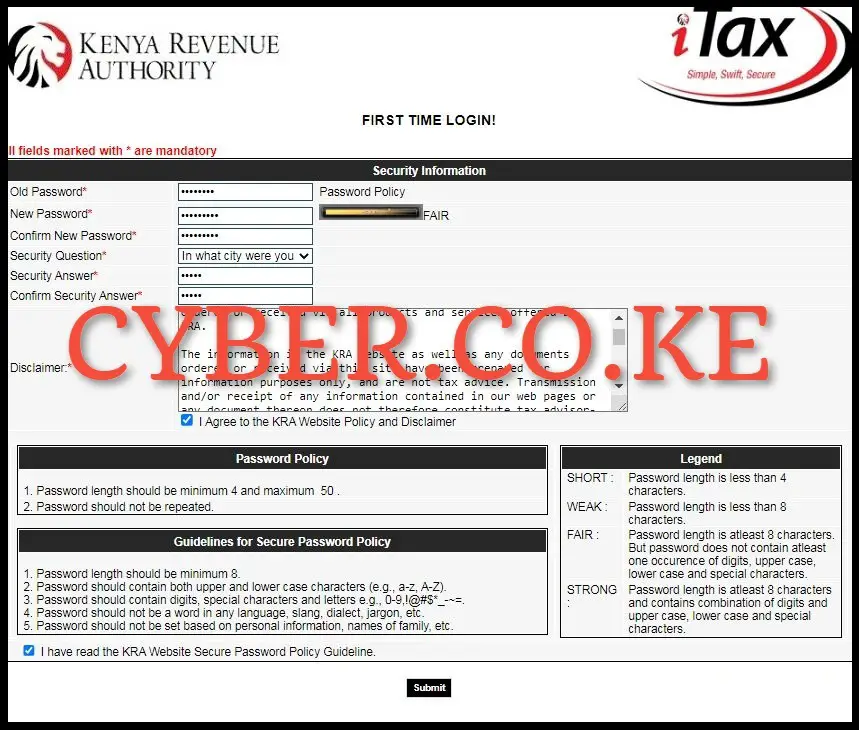
The last and most important step in the whole process of changing iTax Password is where you are required to setup a new iTax Password for your account. In this last step, you will be required to fill in the following details/fields: Old Password (password reset that was sent to your email address), New Password (password that you will be using to access KRA Portal), Confirm New Password (the same password confirmation), Security Question, Security Answer, Confirm Security Answer and the Disclaimer Check Boxes (I Agree to the KRA Website Policy and Disclaimer and I have read the KRA Website Secure Password Policy Guideline).
Once you have filled in all the security information required for iTax Password reset above, click on the “Submit” button. You will get a message that “Your KRA password has been successfully changed” on KRA Portal and this will log you in automatically. The most important thing to keep in mind is that the process of changing iTax Password online requires that you have with you both the KRA PIN Number and Email Address Linked to KRA PIN Number. Once you have these two requirements, then you can follow the above outlined 7 steps so as to be able to change your iTax Password successfully.

Matthews Ohotto is a Writer at CYBER.CO.KE where he specializes in writing helpful and informative Step-by-Step Tutorials that empower Kenyans with practical skills and knowledge. He holds a Bachelor’s Degree in Business Information Technology (BBIT) from Jomo Kenyatta University of Agriculture and Technology (JKUAT). Get KRA Individual Services and KRA Returns Services in Kenya.