
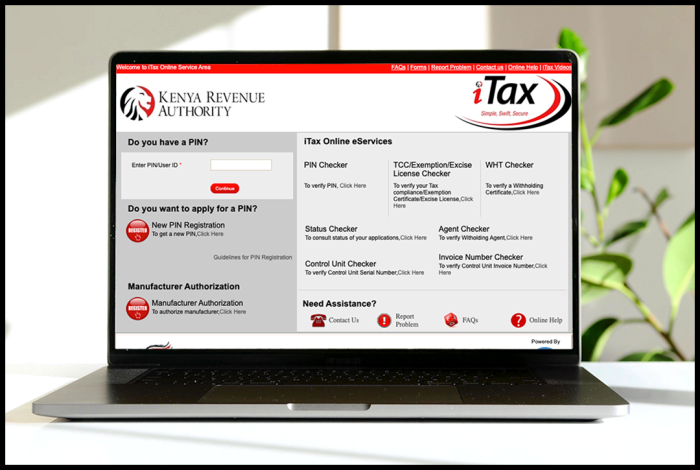
Need Assistance with KRA Services?
Submit and pay for your KRA Service Request online and get your KRA PIN Number and KRA PIN Certificate via WhatsApp and Email Address.
A service fee of Kshs. 200 is charged for KRA Services Assistance provided to customers in Kenya.
Retrieve
KRA PIN Certificate
KRA PIN Number and KRA PIN Certificate will be sent to your WhatsApp and Email Address.
A service fee of Kshs. 200 is charged for KRA Services Assistance provided to customers in Kenya.
A service fee of Kshs. 200 is charged for KRA Services Assistance provided to customers in Kenya.
Learn and get to know the step-by-step process of how to get your KRA PIN number via SMS in Kenya. In this tutorial, you will learn how to retrieve your KRA PIN number using your mobile phone by following the required steps. The guide explains the process in a simple and straightforward way to help you understand how to get your KRA PIN number via SMS without unnecessary complications.
To get your KRA PIN number via SMS in just a few minutes, you need to follow the simple steps outlined below. By following this step-by-step guide, you will learn what to do to retrieve your KRA PIN number and the information you may need during the process. Follow each step carefully to make it easier to complete the process successfully.
Step 1: Dial *222#
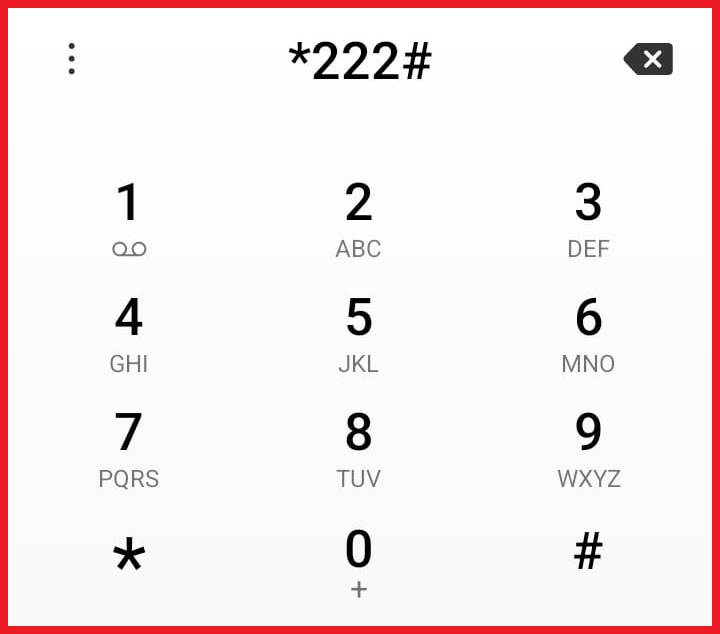
Begin by dialing *222# on your mobile phone. This USSD code gives you access to a wide range of eCitizen services in Kenya, including KRA Services.
Step 2: Select Option 5 – KRA Services
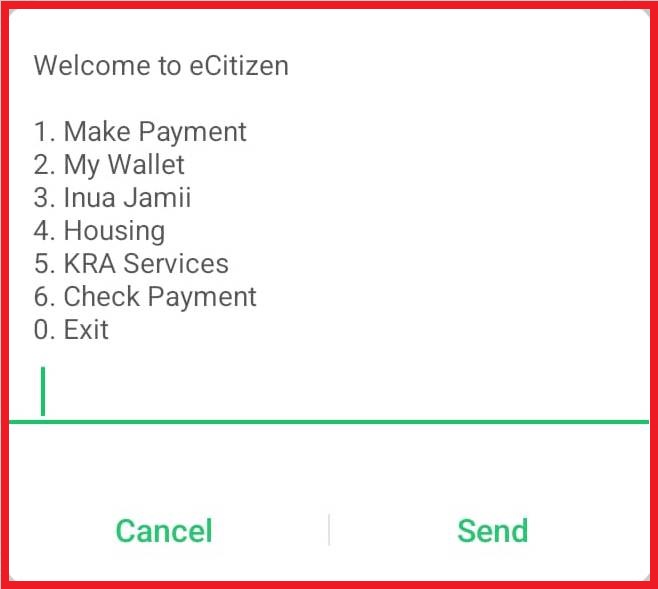
Once the menu appears on your screen, select option 5 to access KRA Services then click on Send.
Step 3: Select Option 98 – More
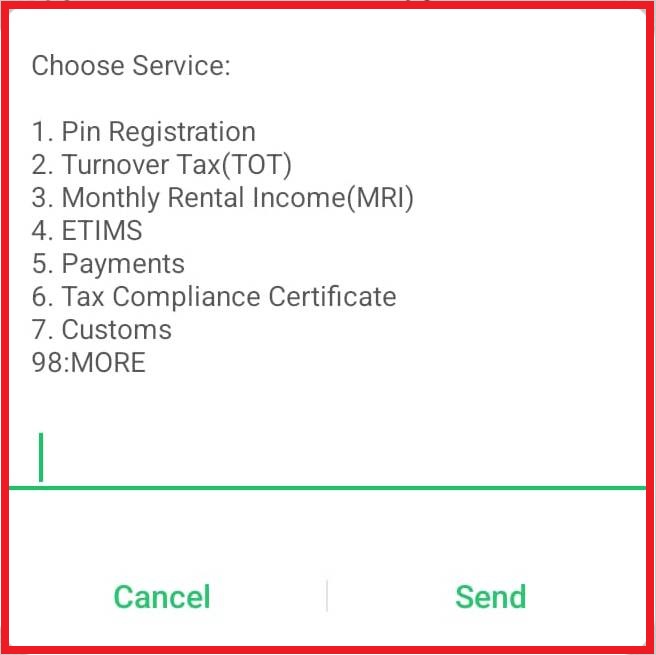
After choosing KRA Services, you will see a list of available options. Select option 98 – More. This allows you to access additional KRA Services options that are not listed in the main menu. Click on Send.
Step 4: Select Option 9 – Other Services
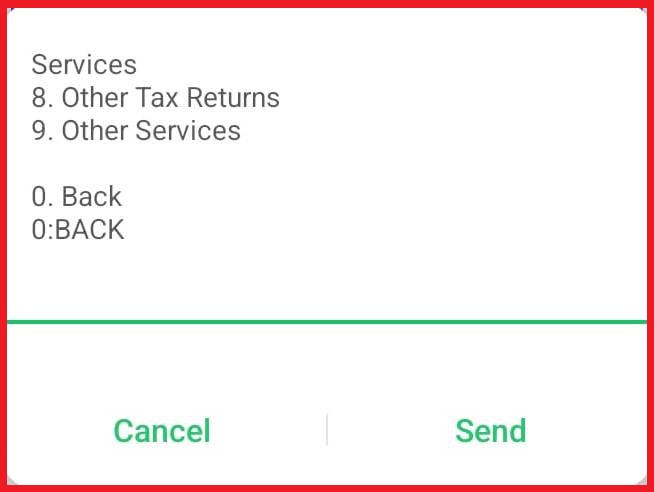
Next, select option 9 – Other Services. This section includes other KRA Services such as KRA PIN Number Retrieval, which is what we are looking for. Click on Send.
Step 5: Select Option 3 – PIN Retrieval
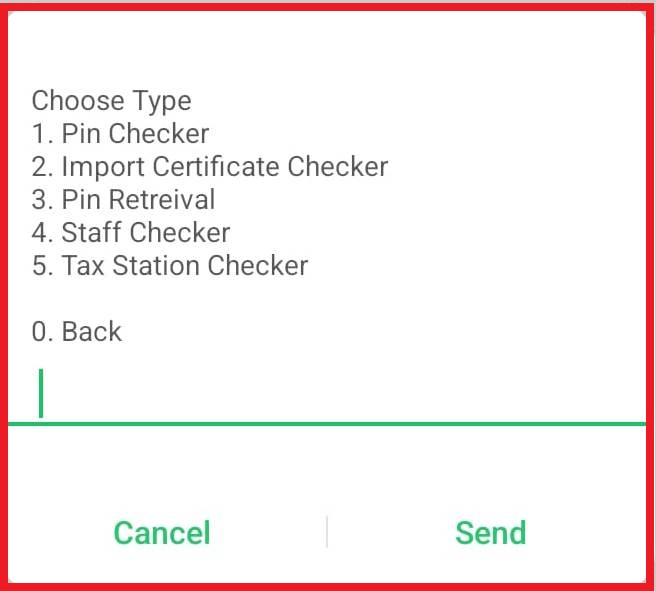
Now, choose option 3 – PIN Retrieval. This is the key step where you start the process of retrieving your KRA PIN Number from the KRA database using your registered National ID Number. Click on Send.
Step 6: Choose Taxpayer Type – Select Option 1 (Kenyan)
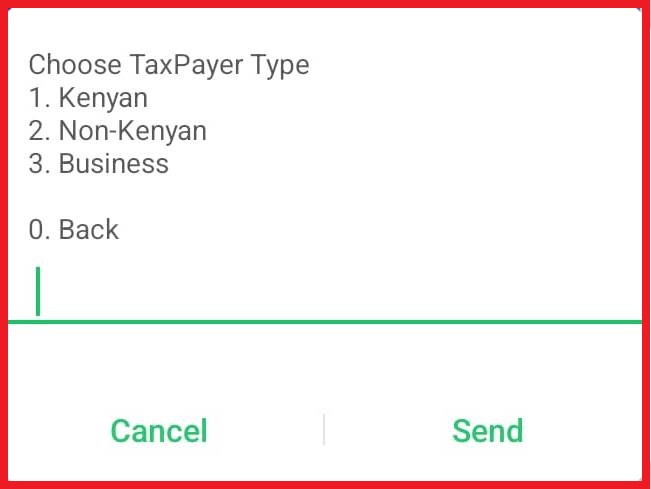
You will be asked to specify your taxpayer type either Kenyan, Non Kenyan or Business. Select option 1 – Kenyan. This step helps the system determine how to process your KRA PIN information from the KRA database. Click on Send.
Step 7: Enter Your National ID Number
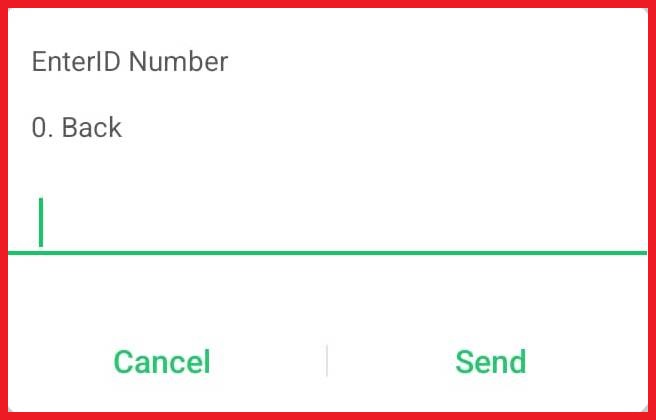
The system will then prompt you to enter your National ID Number. Carefully type in your ID Number and double check it before submitting. The system uses your ID Number to search the KRA database for your tax records information. Click on Send.
Step 8: View Taxpayer Details – Names and KRA PIN Number
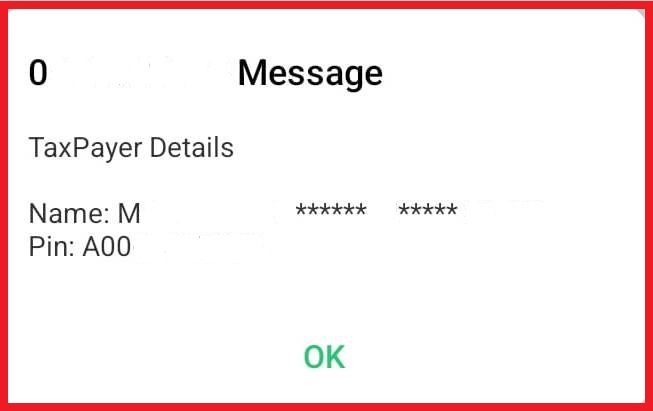
If your ID Number matches the records in the KRA database system, your taxpayer details will be displayed on the screen i.e Names and KRA PIN Number on your mobile phone. Click on OK.
Step 9: Receive SMS with Your Taxpayer Details
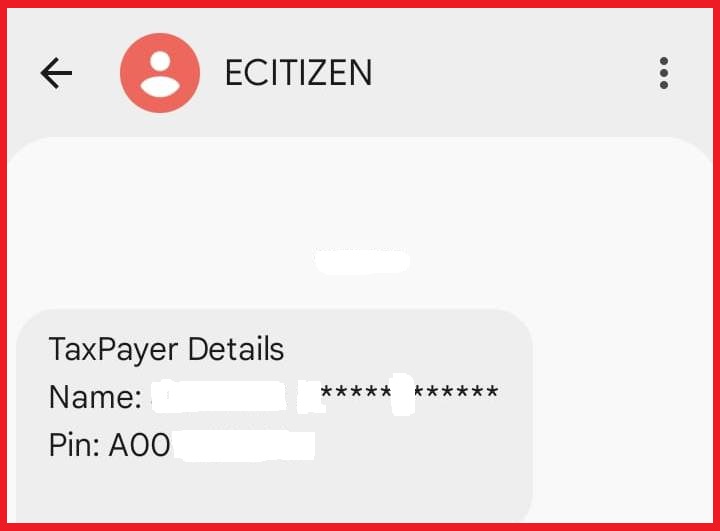
After viewing the Taxpayer information on the screen, you will also receive an SMS from eCitizen with your taxpayer details including your Taxpayer Details i.e. Names and KRA PIN Number.
Watch and Learn on YouTube

iTax Tutorials

How To
Download KRA PIN Certificate
How To
File KRA Returns for Students
How To
File Returns for Unemployed
How To
File KRA Nil Returns in 2026
How To
Reset iTax Password
How To
Reset KRA Password
How To
Change Email Address on iTax
How To
Change Mobile Number on iTax
How To
Apply for Tax Compliance Certificate
How To
Download Tax Compliance Certificate
How To
Check KRA PIN using KRA PIN Checker
How To
Verify Mobile Number on iTax
Watch and Learn on YouTube