Disclaimer
CYBER.CO.KE is an independent website that provides KRA Services to customers in Kenya. We are not affiliated with any government agency in Kenya including Kenya Revenue Authority (KRA). We charge a service fee for the assistance provided to customers in Kenya.
In this step-by-step tutorial, you are going to learn and get to know How To Download KRA PIN Certificate.
How To Download KRA PIN Certificate
The following are the 5 main steps involved in the process of How To Download KRA PIN Certificate that you need to follow.
-
Step 1: Visit iTax (KRA Portal)
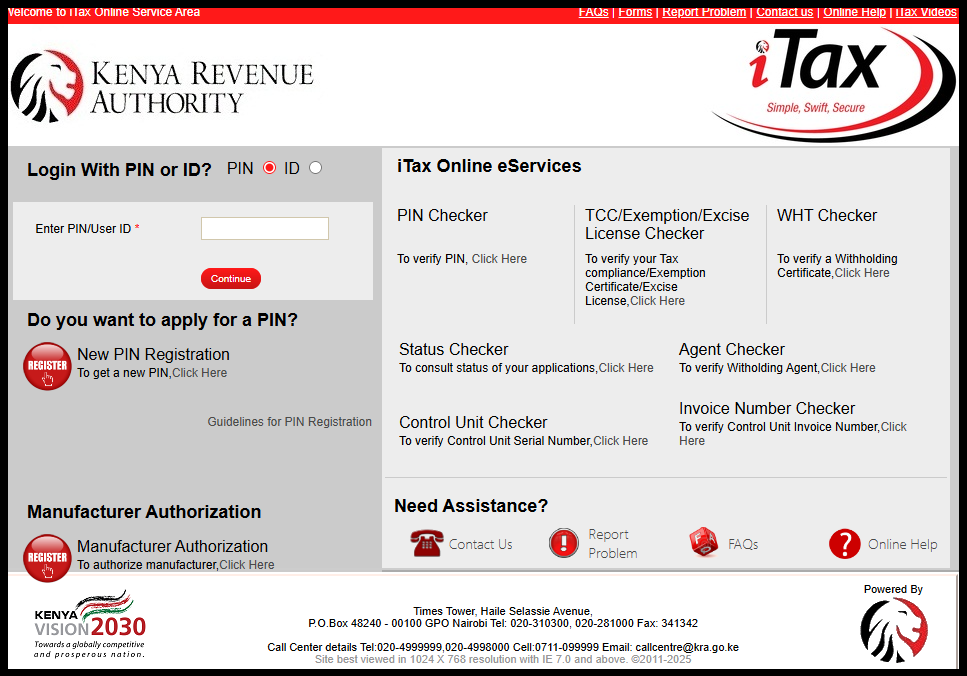
To be able to download your KRA PIN Certificate online, the first step to take is to visit the KRA Portal by using the link https://itax.kra.go.ke/KRA-Portal/
-
Step 2: Log in to iTax (KRA Portal)
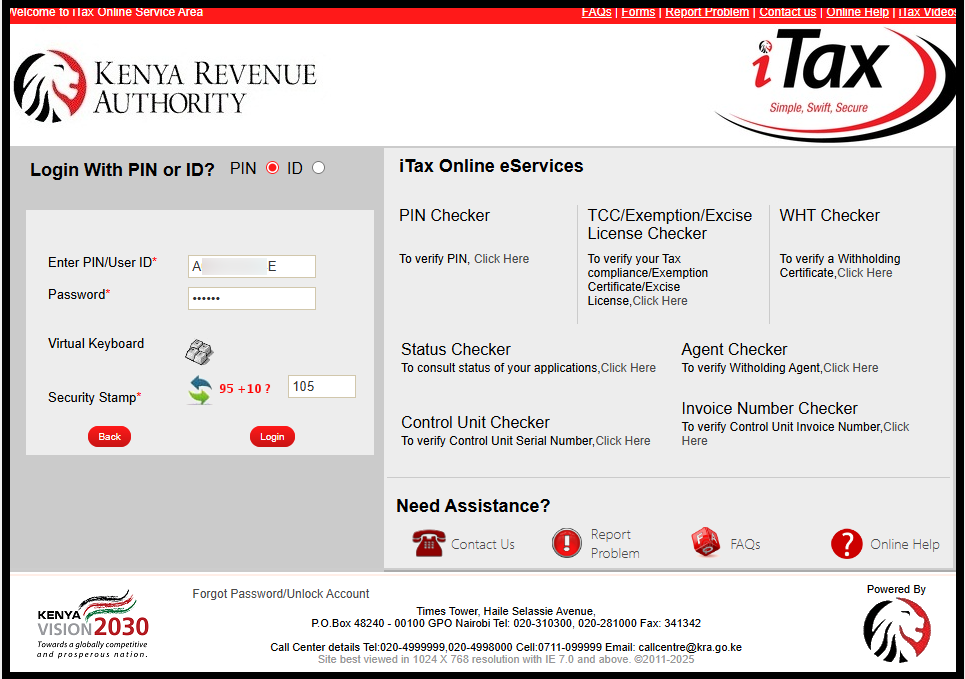
Next, you need to login to iTax (KRA Portal) by either using your KRA PIN Number or National ID Number and KRA Password (iTax Password).
Once you have input these two credentials, solve the arithmetic question (security stamp) and click on the “Login” button so as to login to your KRA Portal account.
-
Step 3: Click on Registration – Taxpayer Profile – Reprint PIN Certificate
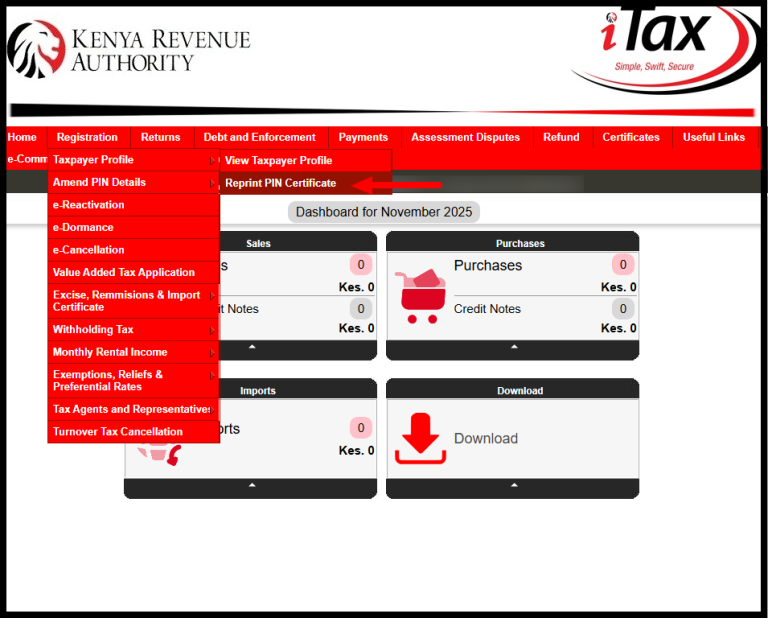
In this step, once logged into iTax (KRA Portal) successfully, on the top menu click on “Registration” and from the drop-down menu list click on “Taxpayer Profile” and then click on “Reprint PIN Certificate“.
-
Step 4: Select Applicant Type as Taxpayer
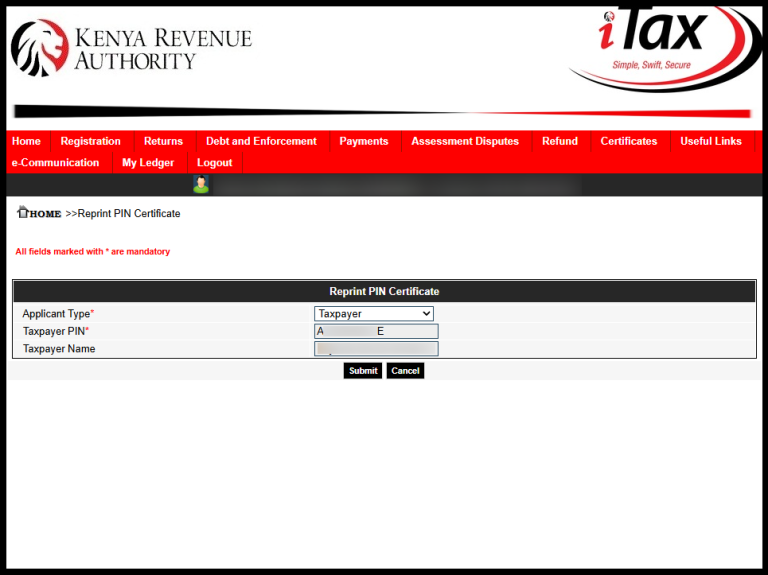
Next, in this step you are to select the applicant type, either the taxpayer or agent. Since it’s a taxpayer who is downloading the KRA PIN Certificate, choosing taxpayer as applicant type is the most recommended selection. Click on the “Submit” button.
-
Step 5: Download KRA PIN Certificate
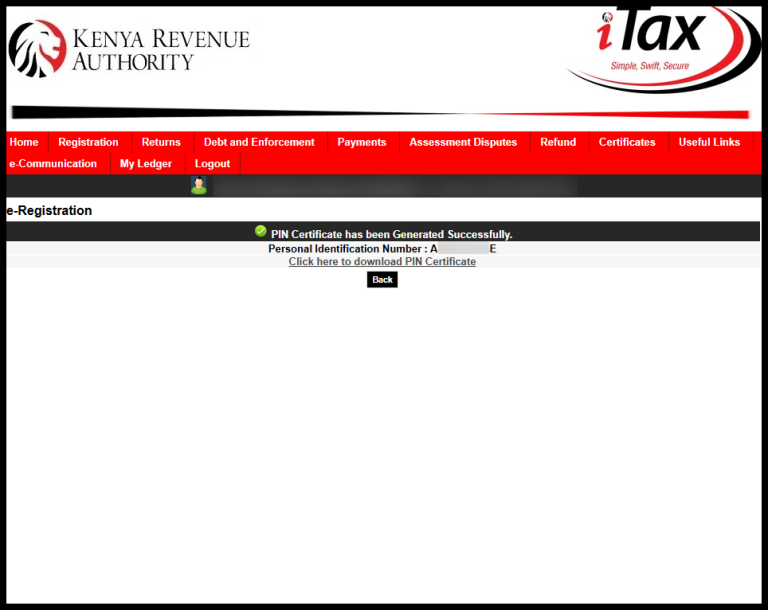
The last step in the process of How To Download KRA PIN Certificate online using KRA Portal (iTax Portal) is downloading the PIN Certificate.
You will get a notification that the KRA PIN Certificate has been successfully generated and you can proceed to download it by clicking on the text link title “Click here to Download KRA PIN Certificate.”
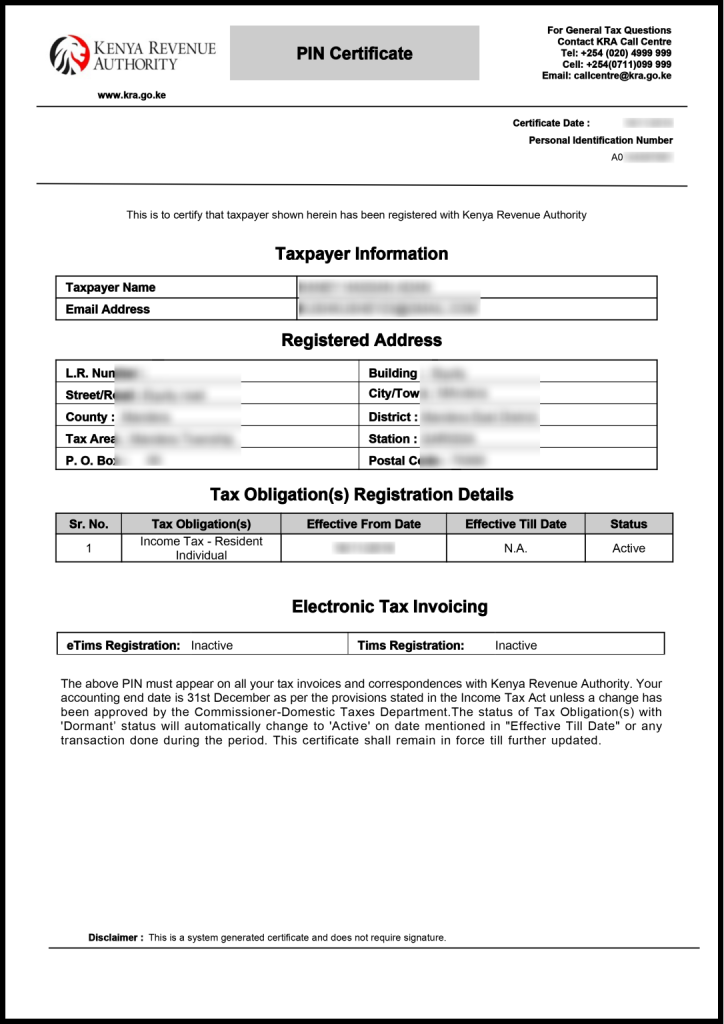
So, summing up the whole process of How To Download KRA PIN Certificate Online, you need to ensure first and foremost you have your iTax login credentials i.e. KRA PIN Number and KRA Password (iTax Password).
When you have these two requirements with you, then downloading KRA PIN Certificate online using iTax (KRA Portal) will be easy as long as you follow the above outlined step by step process of downloading KRA PIN Certificate online in Kenya.

Matthews Ohotto is an Article Writer at CYBER.CO.KE and a Video Creator at the YouTube channel Taxpayer Tutorials. He specializes in writing helpful Articles and creating informative Videos that empower Kenyans with practical skills and knowledge. He holds a Bachelor’s Degree in Business Information Technology (BBIT) from Jomo Kenyatta University of Agriculture and Technology (JKUAT).