
Disclaimer
CYBER.CO.KE is an independent website that provides KRA Services to customers in Kenya. We are not affiliated with any government agency in Kenya including Kenya Revenue Authority (KRA). We charge a service fee for the assistance provided to customers in Kenya.
This guide explains How To Download Grade 10 Admission Letter 2026 online through the official Ministry of Education Grade 10 School Placement Platform using the learner’s Assessment Number and KNEC School Code.
How To Download Grade 10 Admission Letter
Step 1: Visit Grade 10 Placement Platform

Open a web browser on your phone, tablet, or computer and visit the official Ministry of Education Grade 10 Placement School Placement Platform at https://placement.education.go.ke/. Ensure you have a stable internet connection before proceeding.
Step 2: Click Download Letter
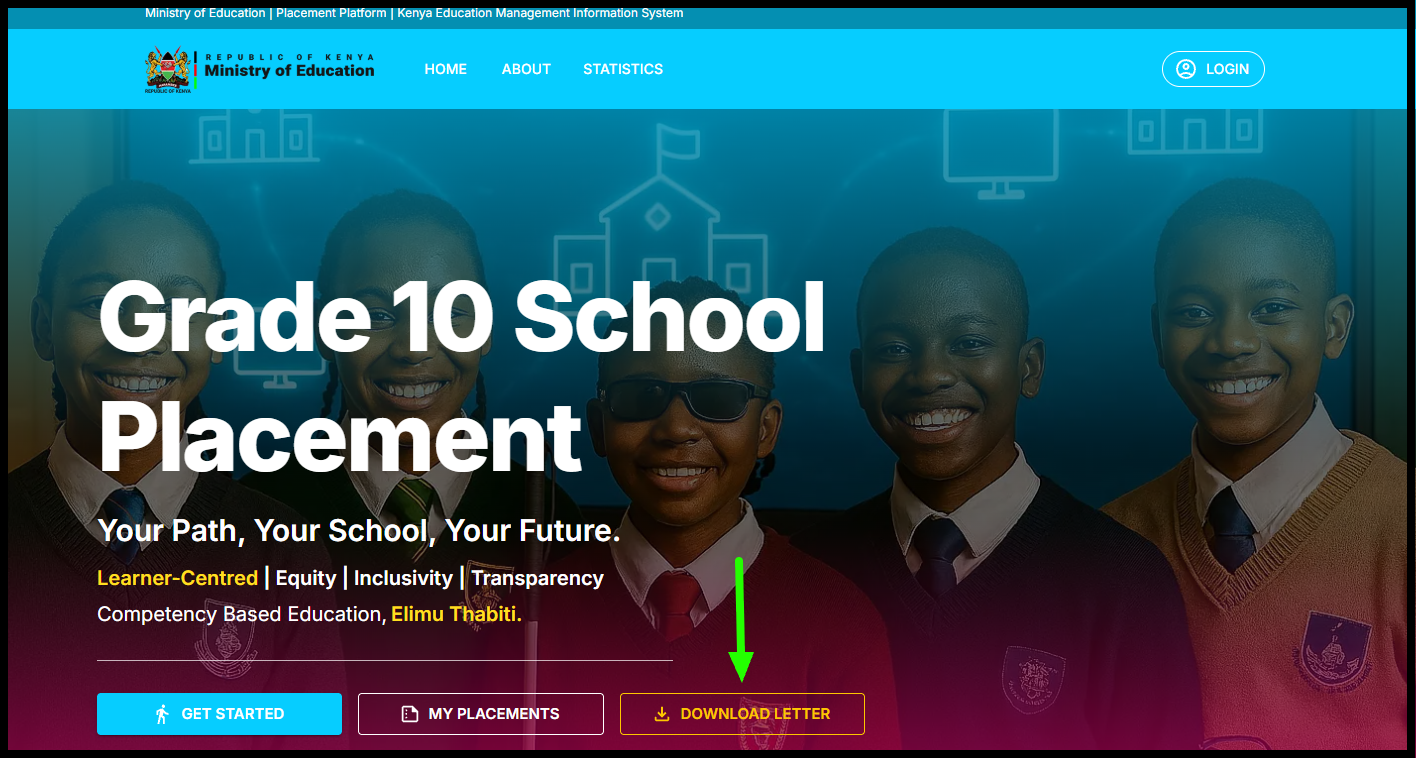
Once the Grade 10 School Placement Platform loads, locate and click on the “Download Letter” option on the homepage to proceed to the Grade 10 admission letters 2026 page.
Step 3: Enter Assessment Number
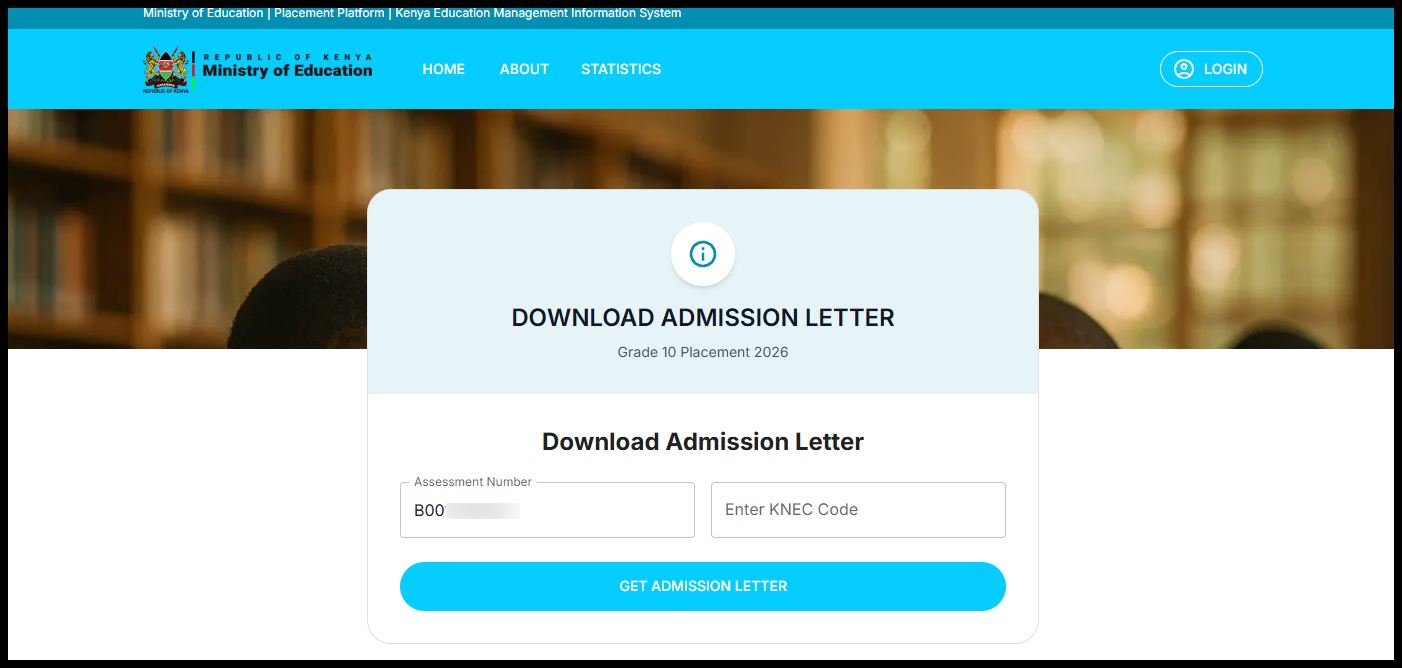
On the Download Admission Letter page, enter the learner’s “Assessment Number” in the required field, ensuring it is typed exactly as issued under the Competency Based Curriculum (CBC) without any extra spaces or errors.
Step 4: Enter KNEC School Code
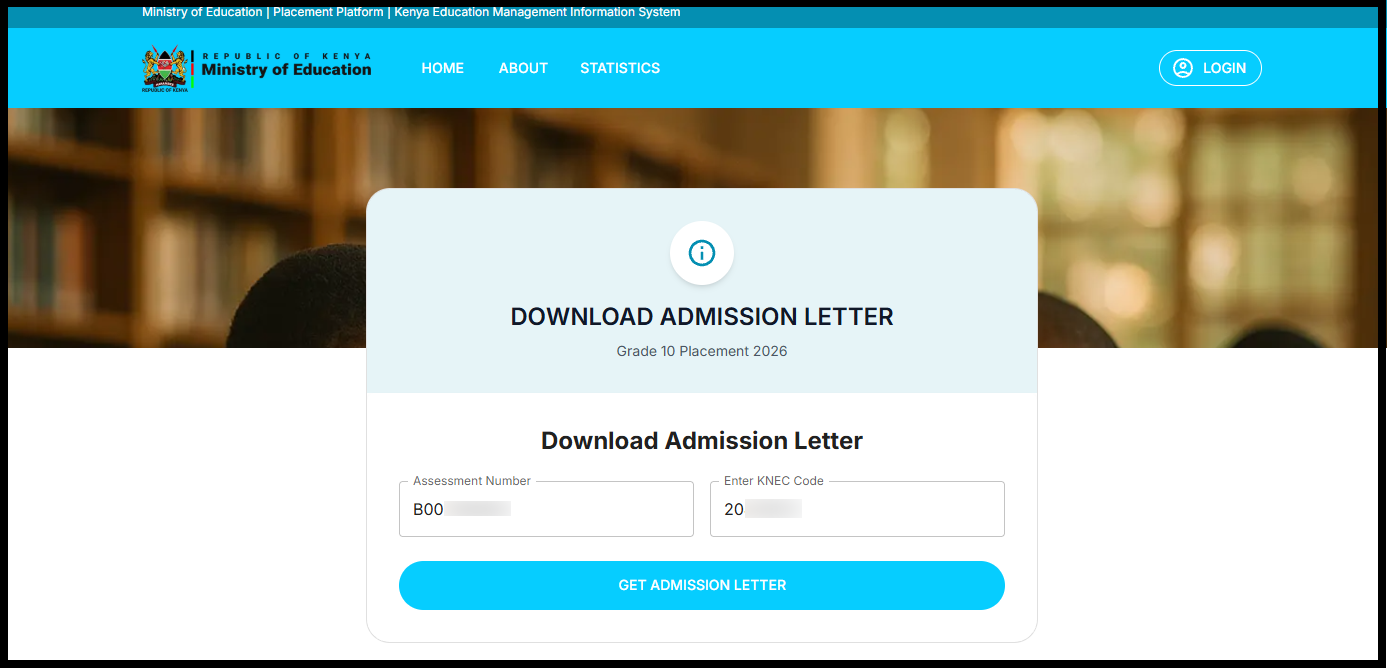
Next, enter the “KNEC School Code” (NB: You can find the KNEC Code on the 2025 KJSEA Results Portal at https://kjsea.knec.ac.ke/) for the school or examination centre where the learner was registered. This code is used by the system to verify the learner’s registration and placement details.
Step 5: Click Get Admission Letter
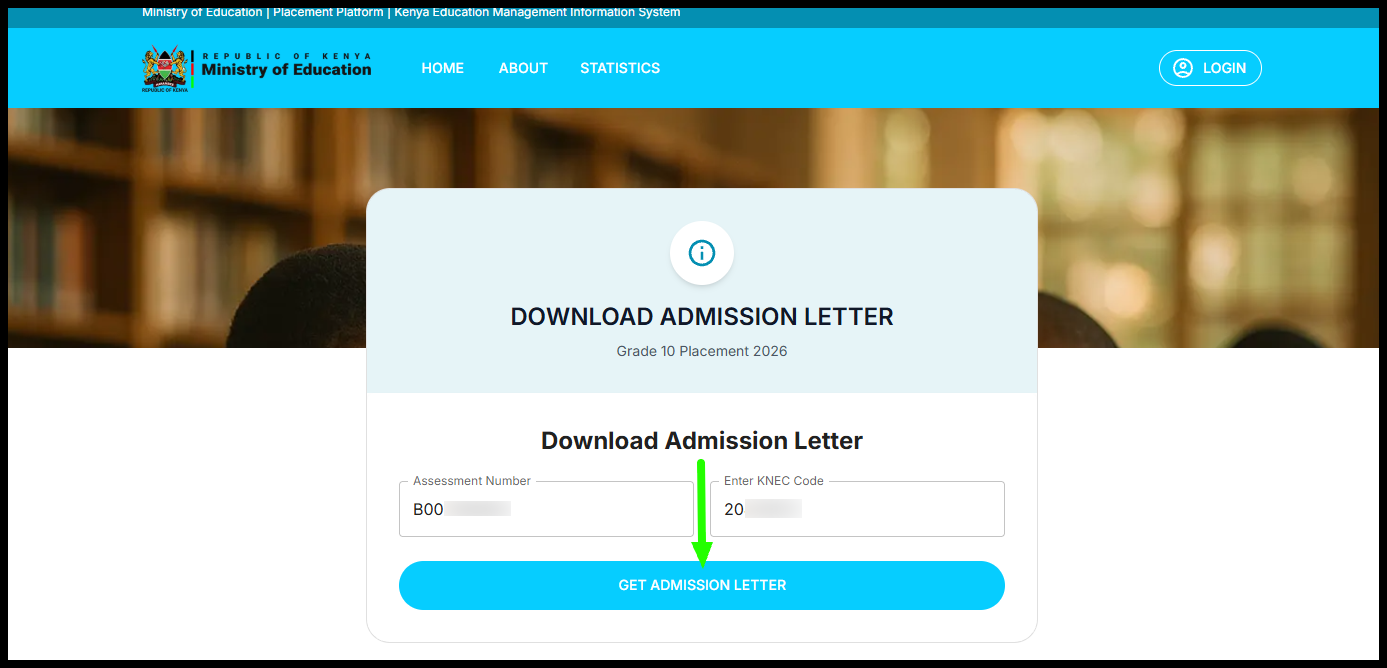
After verifying that both the “Assessment Number” and “KNEC Code” are correct, click the “Get Admission Letter” button. The system will process your details and display the option to download Grade 10 Admission Letter on the screen.
Step 6: Download and Print Grade 10 Admission Letter
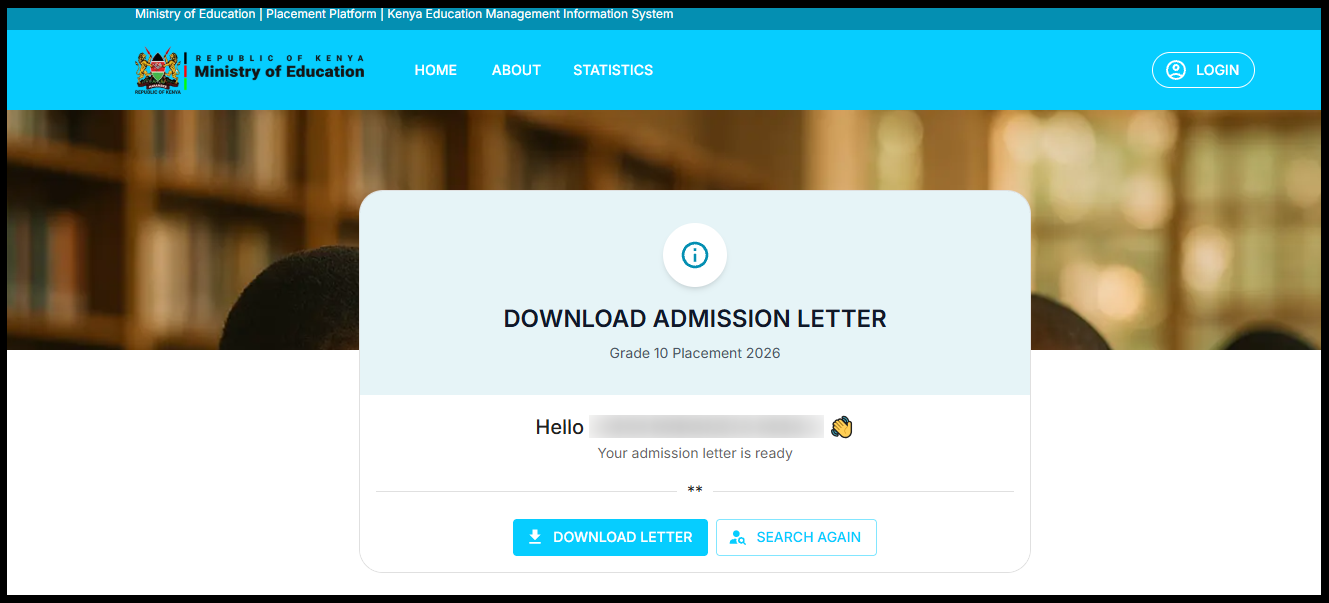
After the Grade 10 Admission Letter appears, click on “Download Letter” to download a copy of the same to your device and print a copy. The printed Grade 10 Placement 2026 Admission Letter is supposed to filled with the student data, details of school fees payments and required items that the student will report to the Senior School with on 12th January, 2026.

Matthews Ohotto is an Article Writer at CYBER.CO.KE and a Video Creator at the YouTube channel Taxpayer Tutorials. He specializes in writing helpful Articles and creating informative Videos that empower Kenyans with practical skills and knowledge. He holds a Bachelor’s Degree in Business Information Technology (BBIT) from Jomo Kenyatta University of Agriculture and Technology (JKUAT).