

This Step-by-Step iTax Tutorial explains How To File KRA Nil Returns In 2026, providing clear and detailed guidance through each step of the process from start to finish, helping you File KRA Nil Returns In 2026 in a few minutes.
READ ALSO: How To Reset iTax Password (Step-by-Step)
Need Help?
Submit Service Request
Requirements Needed To File KRA Nil Returns In 2026
To be able to successfuly file KRA Nil Returns in 2026 on iTax (KRA Portal), you need to have with you the following two main requirements:
- KRA PIN Number or ID Number
- iTax Password (KRA Password)
Once you have the above two requirements, you will be able to file KRA Nil Returns in 2026 on iTax in a few minutes by following the steps outlined below.
How To File KRA Nil Returns In 2026
To successfully File KRA Nil Returns in 2026, follow the steps outlined below.
Step 1: Visit iTax
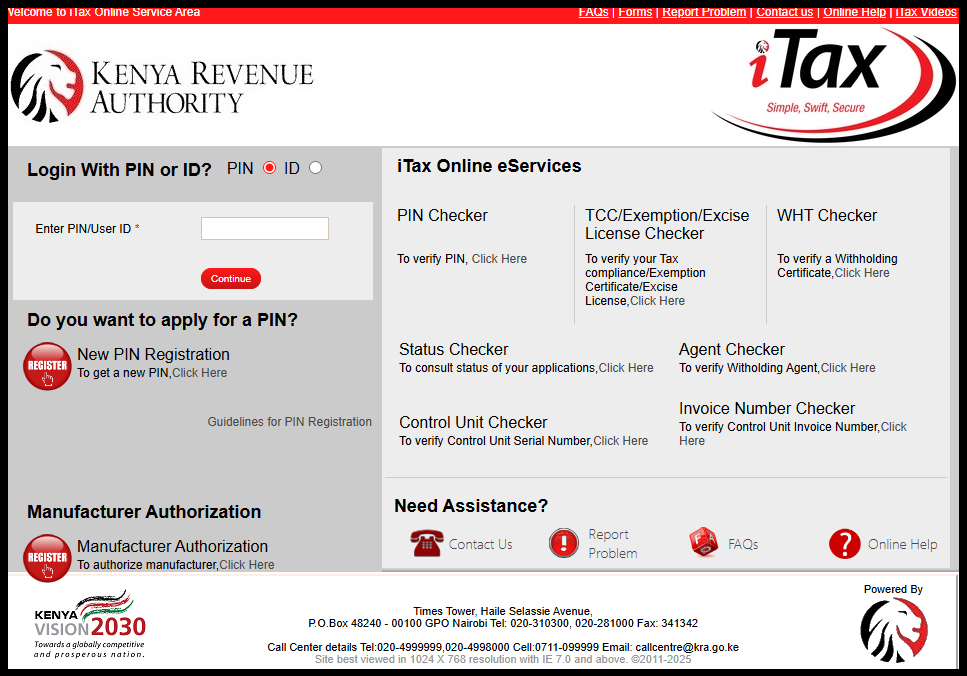
The first step in the process of filing KRA Nil Returns in 2026 is to visit iTax using the link https://itax.kra.go.ke/KRA-Portal/
Step 2: Log in to iTax
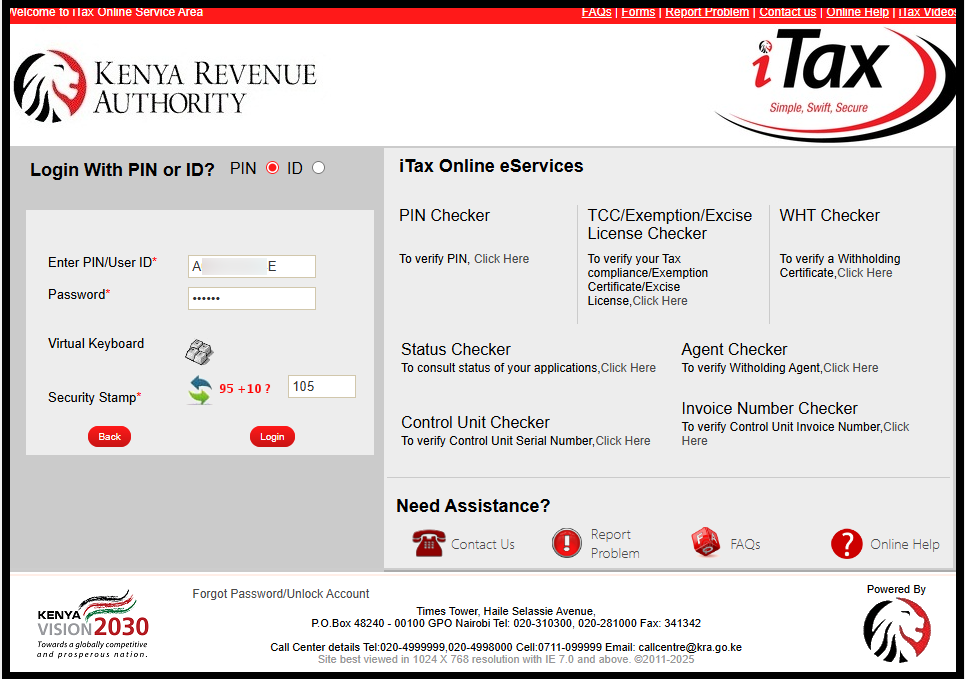
Next, to log in to iTax (KRA Portal), enter your KRA PIN Number or National ID Number, click “Continue” then enter your iTax Password (KRA Password) and then solve arithmetic question (security stamp). Once you have done that, click on the “Login” button.
Step 3: Click on Returns then File KRA Nil Returns
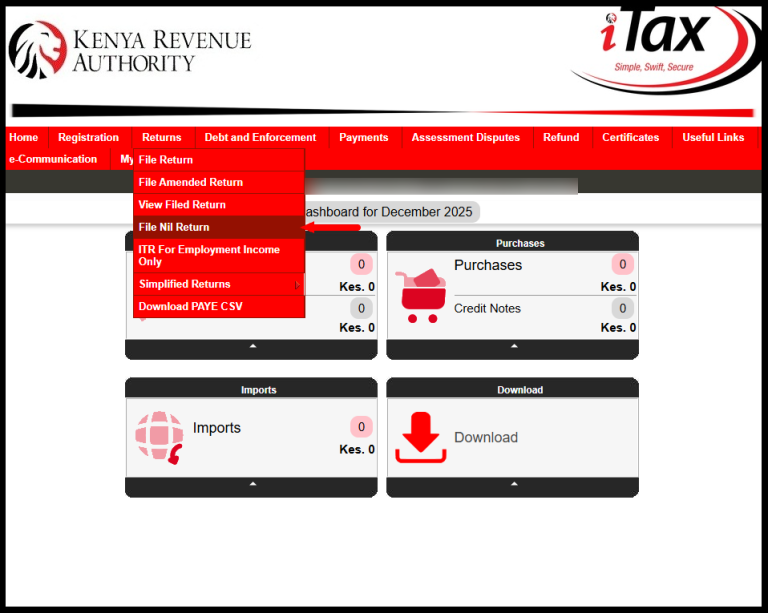
Once you are successfully logged into iTax, click on “Returns” menu followed by “File Nil Returns” from the drop-down menu to start the process of filing KRA Nil Returns in 2026.
Step 4: Select KRA Tax Obligation
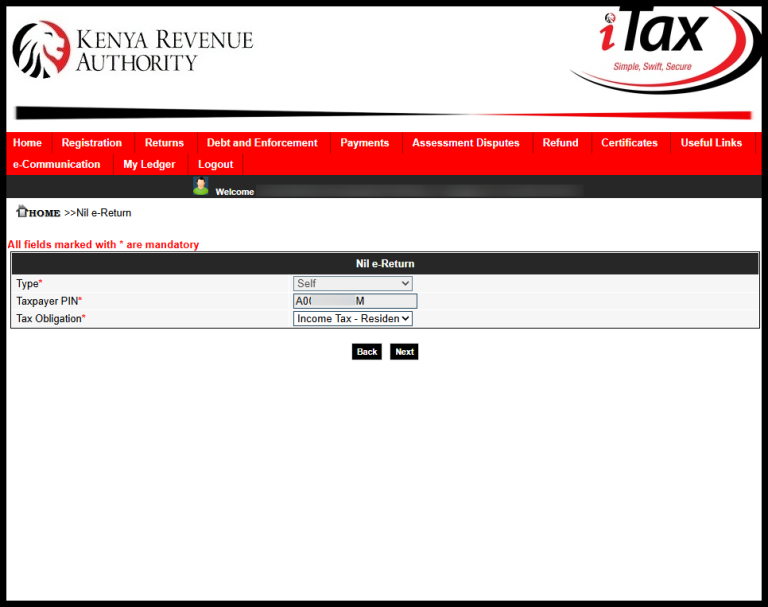
Next, you need to select the KRA Tax Obligation i.e. “Income Tax – Resident Individual” then click the “Next” button to proceed.
Step 5: Fill In The Income Tax – Resident Individual Nil e-Return Form
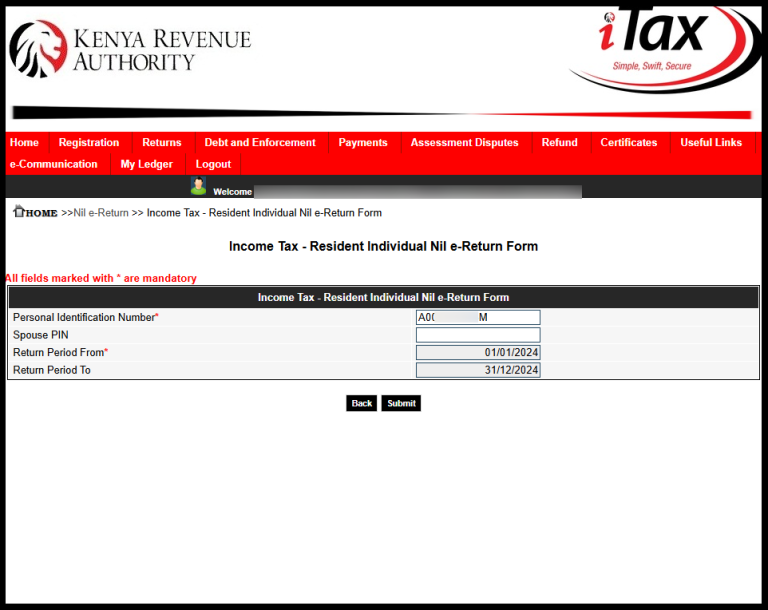
In this step, you need to fill in the Income Tax – Resident Individual Nil e-Return Form. If your KRA Returns are up to date, the “Return Period From” will automatically set the “Return Period To.” For example, this year 2026, the Return Period From is 01/01/2025 and the Return Period To is 31/12/2025. Once you have done that, click on the “Submit.”
Step 6: Download e-Return Acknowledgement Receipt (KRA Returns Receipt)
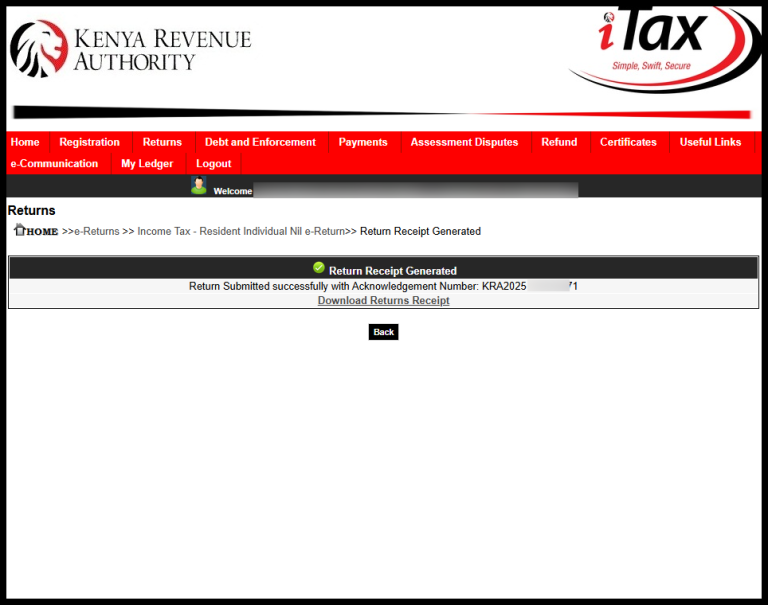
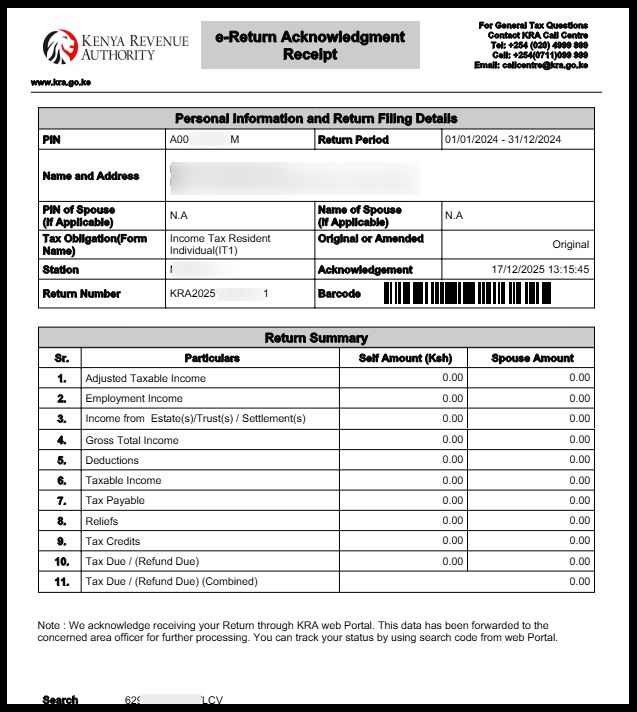
The last step in the process of How To File KRA Nil Returns in 2026 is to download the “e-Return Acknowledgement Receipt” also known as KRA Returns Receipt. This returns receipt confirms that you have filed your KRA Nil Returns successfully on iTax (KRA Portal).
READ ASO: How To Reset KRA Password (Step-by-Step)
Need Help?
Submit Service Request
To download the KRA Returns Acknowledgement Receipt (e-Returns Recipt), just click on the “Download KRA Returns Receipt” link to save or print a copy for your records.

Cyber.co.ke is an Authorized Ushuru Mashinani Service Partner offering KRA Individual Services and KRA Returns Services to customers across Kenya. If you need our help, send us an Email using: cyber.services@cyber.co.ke or chat with us on WhatsApp using: 0723 737 740.
Chat on WhatsApp
0723 737 740

Send an Email
cyber.services@cyber.co.ke

KRA Individual Services
Submit KRA Services Request

KRA Returns Services
Submit KRA Services Request
KRA Non Individual Services
Submit KRA Services Request
KRA Taxpayer Services
Submit KRA Services Request